

Finding the best seo app for Shopify can feel like walking into a hardware store with three hundred packets of screws and no labels. Every app promises better rankings, faster pages, and more organic traffic. But which ones actually deliver for real stores with real catalogues and real customers waiting to check out?
At Blooming Checkout, we run a boutique Shopify SEO agency that manages and audits stores across the US, UK, Australia, Canada, and New Zealand. We also run our own stores. Our flower business has been trading since 1999 and has been on Shopify since 2014. This guide shares what we have learned about seo apps, which ones work on the stores we manage every day, and how to build a sensible seo strategy without installing a dozen overlapping tools. If you want the full method we apply to every store, our collection-first growth approach explains it end to end.
Quick answer: which is the best SEO app for Shopify right now?
If you need a straight answer before the full breakdown, here it is. In 2026, the best shopify seo app combination for most merchants is:
- TinyIMG for image optimization, speed improvements, and technical seo
- Booster SEO & Image Optimizer (or Avada SEO & Image Optimizer) for all-in-one automation
This pairing gives roughly 90% of what most Shopify stores need without the bloat of multiple apps fighting over the same functions.
TinyIMG holds a perfect 5.0 rating from over 2,400 reviews in early 2026. Booster SEO sits at 4.9 with more than 6,400 reviews and years of proven usage data. Both carry the Built for Shopify badge, meaning they meet Shopify's quality standards for performance and security.
Why this combination? Image-heavy Shopify stores (fashion boutiques, florists, jewellers, bakeries, home decor brands) win most from image optimization and bulk meta tag management. A slow-loading category page packed with beautiful photographs will lose customers before they see the product. These two apps tackle the biggest friction points: page speed and repetitive seo tasks.
Across the stores we manage at Blooming Checkout, from our own florist SEO brands to our fashion boutique SEO clients, we have seen faster indexing and better search engine rankings by combining image optimization with metadata automation instead of scattering effort across a dozen overlapping apps.
Here is the shortlist for quick reference:
- Best overall combo: TinyIMG + Booster SEO (or Avada)
- Best for image-heavy stores: TinyIMG
- Best all-in-one automation: Booster SEO & Image Optimizer
- Best free starting point: Avada SEO (generous free plan available)
- Best for multi-language stores: Smart SEO by Sherpas or Tapita
- Best for learning SEO: SEO Manager or Plug In SEO
Now let us dig into why these choices matter and how to pick the right stack for your situation.
Shopify's built-in SEO vs. third-party apps
Shopify provides a solid foundation out of the box. Many small stores get reasonable visibility using only what Shopify includes. But the native tools are not a complete seo toolkit. Shopify automatically generates XML sitemaps, provides SSL certificates, and ensures themes are mobile-friendly, which are essential for SEO.
What Shopify already includes:
- Automatic xml sitemaps that update when you add products
- Editable robots.txt file
- SSL certificates for secure browsing
- Mobile-responsive themes (especially post-2018 themes)
- Canonical tags to prevent duplicate content issues
- Editable page titles, meta descriptions, URLs, and image alt text for each product and collection
What Shopify does not include (and apps must fill):
- No keyword research or keyword suggestions built in
- No competitor analysis or backlink analysis
- No automated schema markup for rich snippets (reviews, price, availability, FAQs)
- No bulk editing for meta tags or alt text across large catalogues
- No image compression, lazy loading, or core web vitals tuning beyond the theme defaults
- Limited redirect management to fix broken links
- No support for answer engine optimization or llms.txt for AI crawlers
- No multi language seo support or hreflang tag automation
Shopify's built-in SEO features provide a solid foundation, but dedicated SEO apps are necessary for advanced capabilities like bulk metadata editing, image optimization, and automated technical seo audits. At Blooming Checkout, we rely on Shopify's built-in wiring for structure, then use apps to handle bulk alt text updates, structured data for products and collections, and speed fixes so large gallery images do not slow mobile checkout. When we run a full ecommerce SEO audit on a new client, the app stack is one of the first things we review.
Best Shopify SEO apps in 2026 (curated short list)
This is a curated list, not an exhaustive directory. We have focused on apps that meet clear criteria: Shopify App Store rating above 4.7, at least 500 reviews (or strong track record if newer), and real usefulness for ecommerce stores rather than vanity metrics.
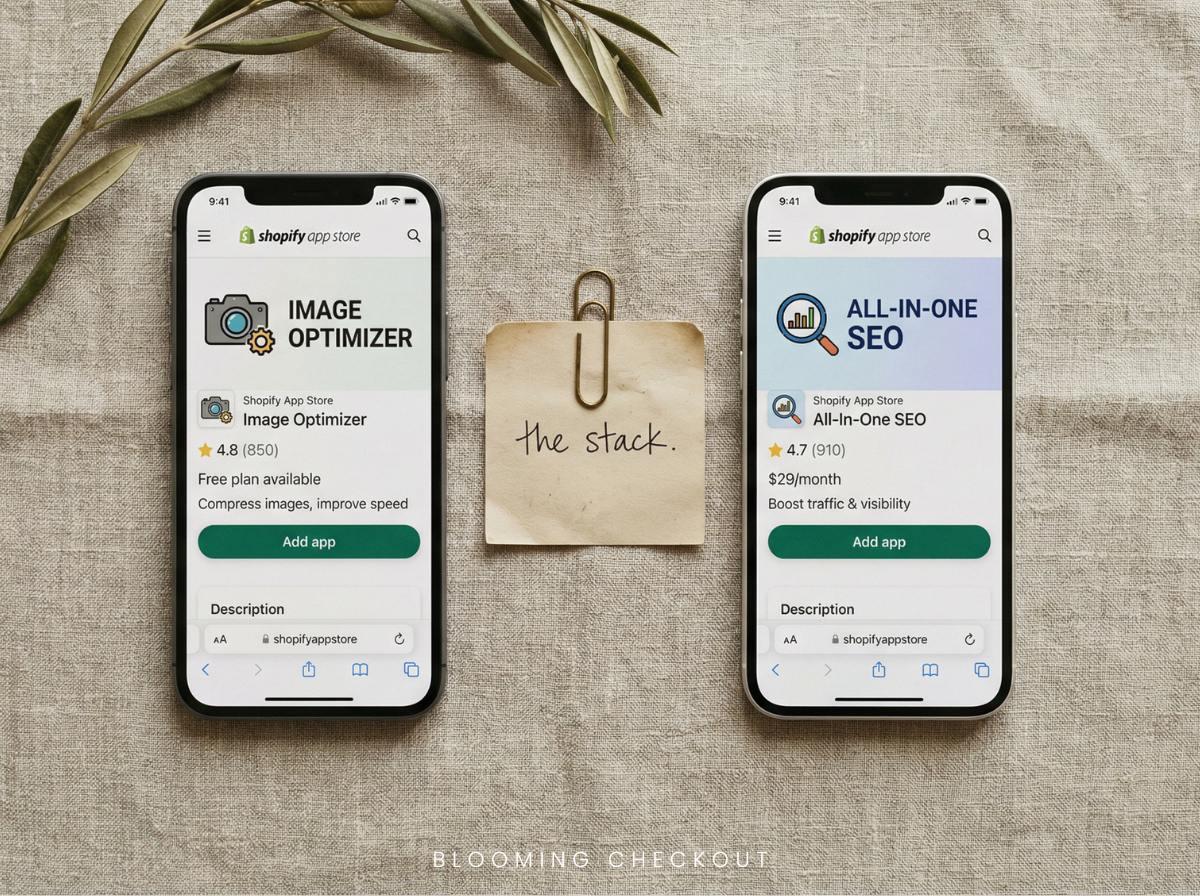
TinyIMG remains the standout image optimization app for Shopify in 2026. It handles lossless compression that can reduce image file sizes by up to 98% without visible quality loss, automatic alt text generation based on filenames and collection data, JSON-LD schema implementation, lazy loading for core web vitals compliance, and IndexNow support for faster indexing on Bing and Yandex. Plans run from around $15-$25 per month for serious usage, with a free plan available for basic seo features. If you run a catalogue of 300 gift SKUs, TinyIMG's bulk image compression and automatic alt text prevent your category pages from becoming sluggish. Some SEO apps, like TinyIMG, offer a pay-as-you-go model based on the number of images processed, making it accessible for smaller stores.
Booster SEO & Image Optimizer positions itself as the premier all-in-one automation tool. It includes autopilot scans for broken links, missing meta descriptions, slow pages, and 404 errors, plus bulk metadata templates, image compression, JSON-LD for products and collections, sitemap automation, and Google Search Console integration. Rated 4.9 from over 6,400 reviews, with plans scaling from around $40-$55 per month for advanced seo features. This is the "set and mostly forget" choice when you need comprehensive seo tools without hiring a full-time specialist.
Avada SEO & Image Optimiser offers a generous free tier covering bulk metadata editing, Google Search Console integration, schema markup, and image handling. At 4.9 stars from over 6,300 reviews, it is ideal for budget-conscious stores needing solid on-page seo without immediate costs. Paid plans from around $35-$45 per month open up more seo features as you grow. We often recommend Avada when we onboard a client on The SEO Growth Plan because the free tier covers the fundamentals while we build out the collection pages.
Smart SEO by Sherpas uses AI for automatically generated meta tags, supports multi language seo support with proper hreflang tags, and provides automatic alt text, JSON-LD, and page speed tweaks. Rated 4.9 from over 1,200 reviews with affordable plans from around $10-$15 per month. This shines for international stores serving audiences in multiple languages, whether that is English and French for a Canadian brand or English and German for an EU expansion.
SearchPie blends speed optimization, backlink monitoring, keyword research tools, guided fixes, and local SEO tools with a beginner-friendly interface. At 4.9 stars from over 3,500 reviews and plans from free to around $40-$55 per month, it delivers measurable gains for novices. Some users report 15-25% traffic increases within 1-2 weeks through its auto-fix technology and AMP support.
Tapita SEO & Speed Optimizer offers strong value for multi-language support and speed improvements, with localised meta tags, hreflang, compression, and core web vitals tuning. Rated between 4.8-5.0 from over 1,000 reviews at around $10-$15 per month. A solid pick for growth-stage brands watching their budget.
SEO Manager provides educational dashboards with seo score displays, tooltips, checklists, Google Search Console integration, and real-time alerts. At 4.7 stars from over 1,700 reviews and plans from free to around $15 per month, it is ideal for beginners building foundational knowledge. The seo manager app teaches you why issues matter, not just what to fix.
Plug In SEO focuses on deep technical seo audits identifying duplicates, broken links, and meta tag problems with step-by-step fixes. At 4.7 stars from over 2,500 reviews and around $40 per month, it suits stores ready to invest in serious keyword optimization.
StoreSEO and SEOAnt target AI search and answer engine optimization with structured FAQs, llms.txt support, AI blog content generation, and claims of 2-3x impression growth in 4-6 weeks. Ratings of 5.0 (570 reviews) and 4.8 (1,400+ reviews) respectively, with plans from free to around $15-$35 per month. These automate blogging for content-heavy sites while preparing your store for answer engines like Perplexity or ChatGPT. You can read more about how we prepare client stores for these tools on our AI search optimisation page.
Deep dives: which SEO app is "best" for your situation?
The word "best" depends entirely on your store type, team size, budget, and growth stage. A solo founder launching a boutique has different needs than an established brand managing 500 SKUs and same-day delivery across two markets. Let us break down the options by situation.
Best overall combo for growing Shopify brands
For most growing Shopify brands, pairing a speed and image specialist with an all-in-one seo app delivers the best results without complexity. The recommended combinations are:
- TinyIMG + Booster SEO, or
- TinyIMG + Avada SEO (for tighter budgets)
Here is how this works in practice. TinyIMG handles compression, lazy loading, and image alt text generation. Booster or Avada manage schema markup, 404 monitoring, redirects, JSON-LD, and bulk meta templates. Neither app steps on the other's primary function. Faster stores provide a better user experience, which is a major ranking factor for Google.
Across the client stores we manage at Blooming Checkout, we use the same split. Product imagery loads quickly on mobile even on slower connections, and meta templates ensure every new seasonal collection gets consistent titles and meta descriptions without manual entry. If this matches where you are today, our Everything SEO service covers both the strategy and the execution on top of your chosen app stack.
Who this is for:
- Stores with 100-500 products
- Teams of 1-5 people managing marketing alongside operations
- Brands where visual appeal matters (fashion, jewellery, home decor, gifting, florists)
- Anyone who wants seo effort reduction without giving up control
Best SEO app for image-heavy Shopify stores
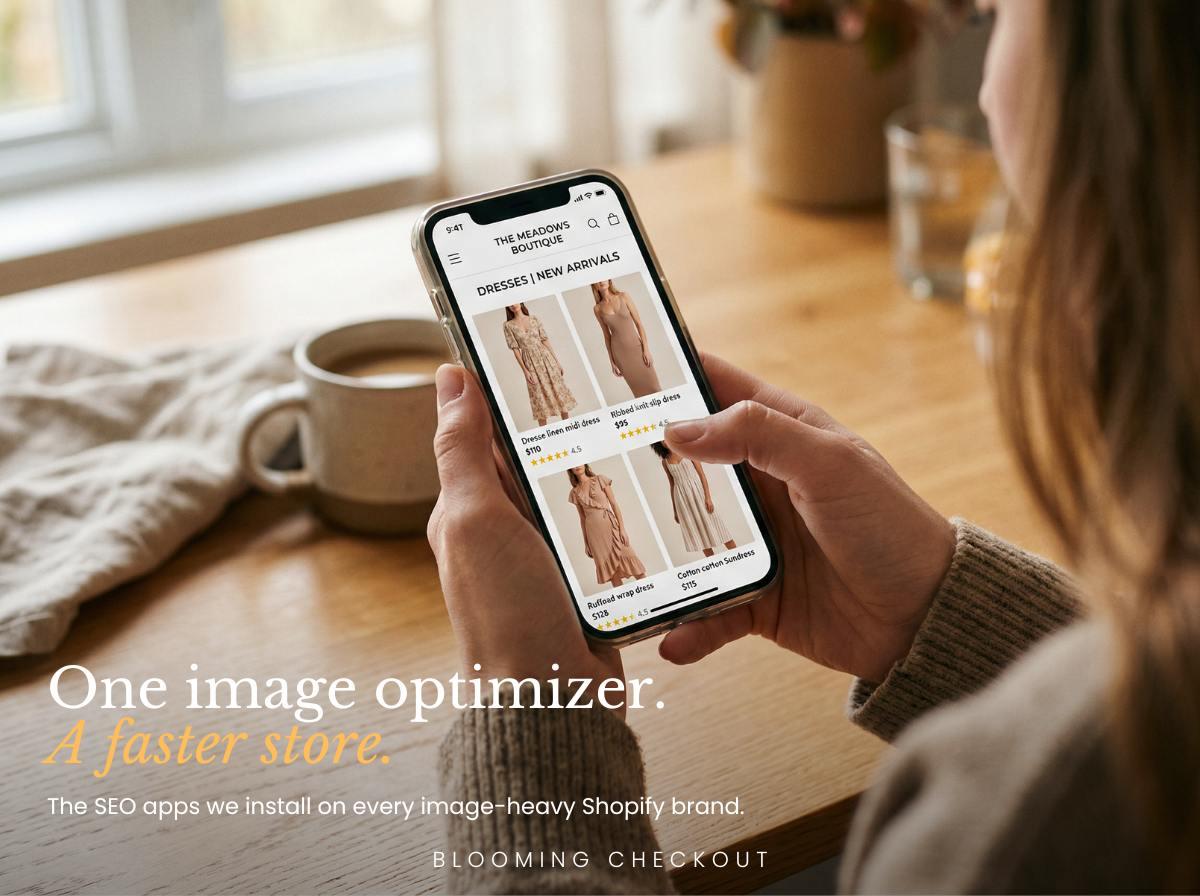
When photography is the product, TinyIMG leads the pack. Fashion stores, home decor shops, florists, jewellers, and bakeries all fall into this category. If customers buy with their eyes first, your images must be beautiful and fast-loading. Many SEO apps offer features like automated image compression, which can reduce image file sizes by up to 98%, improving page load times and overall site speed.
Concrete benefits of TinyIMG:
- Lossless or compressed images without visible quality drop, which matters for premium brands
- Automatic alt text generation based on filenames and collections
- JSON-LD implementation for product schema
- Lazy loading to improve core web vitals (LCP improvements of 40-60% in real-world tests)
- Next-gen formats like WebP and AVIF that reduce file sizes dramatically
Here is a concrete example. A category page might load 24 or more product photographs on a single screen. Without image optimization, that page could take 5-8 seconds to load on mobile. TinyIMG reduces total image weight by 60-90% depending on original format, cutting load time to under 3 seconds while preserving the visual quality premium buyers expect.
The free plan available handles modest needs for stores uploading fewer than 50 images monthly. Upgrade to paid tiers (around $15-$25 per month) when you regularly add 100+ new images during seasonal campaigns.
Best all-in-one SEO automation app
Booster SEO & Image Optimizer works as the "set and mostly forget" tool for busy store owners. If you are juggling deliveries, corporate accounts, and a seasonal campaign all at once, you do not have time to chase every 404 error or write meta descriptions for 50 new products by hand.
What Booster handles automatically:
- Autopilot scans detecting broken links, missing titles, and slow pages
- Bulk alt text and meta tag templates
- JSON-LD schema for products, collections, and blog posts
- Sitemap automation
- Google search console integration for monitoring search engine rankings
Where human oversight matters: review AI-written meta descriptions for your most important pages. Your homepage, main categories, and high-value products deserve personal attention to maintain brand voice. Automated seo is excellent for the long tail; your flagship pages still benefit from a human touch. That is exactly how we split the work when a client signs onto a Shopify SEO expert retainer with us.
Pricing scales with catalogue size and feature needs. The higher tiers make sense when your catalogue and revenue justify the time saved, typically stores doing $3,000+ monthly in online sales.
Best Shopify SEO app for multi-language and international stores
Smart SEO by Sherpas and Tapita SEO & Speed Optimizer lead for multi language seo support in 2026. Both handle the technical complexity of serving the right content to the right audience.
Where multi-language apps earn their place:
- Localised meta tags for different languages
- Correct hreflang markup so Google serves the right language version
- Translation-friendly workflows
For the Blooming Checkout clients running international stores, we see diaspora audiences across London, Sydney, Toronto, and New York. Even when a client does not run multi-language content yet, we optimise pages for international keywords like "send gifts to Australia from UK." If you are planning EU expansion, serving tourists, or operating in a bilingual market, prioritise an app with strong multi-language schemas and translation integration. Improper hreflang implementation can drop search engine rankings by 20-30% in affected regions. Read more about how we handle cross-border SEO on our Shopify Plus SEO page.
Best SEO app for beginners who want to learn (not just automate)
SEO Manager and Plug In SEO work as education-focused tools rather than pure automation. They show you why seo issues matter, not just what buttons to click.
What makes these apps educational:
- Clear seo score dashboards showing overall health
- Tooltips explaining each issue and its impact
- Checklists guiding you through fixes step by step
- Visual indicators of progress
This approach suits founders or marketing managers who want to understand seo optimization before delegating or hiring a boutique SEO agency. You build real knowledge that helps you evaluate results and make better decisions long-term.
Here is an example workflow. Using SEO Manager, you might improve a single collection like "birthday gift boxes" by fixing title tag length, clarifying the meta description, improving heading structure, and adding internal links to related blog guides. Each fix teaches you something applicable to other pages.
When your catalogue grows beyond 500 SKUs and manual fixes become impractical, graduate toward more automated seo tools. But the foundational knowledge stays with you. If you want a structured learning path, the Calm SEO Starter Kit and our Shopify SEO tools and guides library cover the same ground in one place.
Feature checklist: what the best Shopify SEO app must include in 2026
Many apps look impressive in their App Store listings. A solid checklist of must-have seo features prevents shiny-object syndrome and helps you compare like with like. Many Shopify SEO apps provide features like bulk editing capabilities, which are essential for managing large catalogs efficiently without manual intervention.
Must-have features every serious seo app should include:
- Bulk editing capabilities for title tags, meta descriptions, and image alt text
- JSON-LD schema for products, collections, breadcrumbs, blog posts, and FAQs
- 404 monitoring with simple redirect management to fix broken links
- Image compression with backups and lazy loading
- Google search console integration or easy access to Google Pagespeed Insights
- Support for core web vitals improvements (LCP under 2.5 seconds, CLS under 0.1, INP under 200ms)
- Answer engine optimization readiness (structured FAQs, potential llms.txt support)
Nice-to-have features depending on your situation:
- Keyword research tools or keyword suggestions
- Backlink analysis and monitoring
- Bing Webmaster Tools integration
- AI-generated content for blog posts
- Multi language seo support with hreflang automation
Advanced SEO apps can implement JSON-LD structured data automatically, helping search engines better understand the content of a store, which can improve visibility in search results. Advanced SEO apps can also implement answer engine optimization features, helping stores appear in AI Overviews and tools like Perplexity. Your checklist should reflect your biggest gaps. If your catalogue is small but you blog heavily, prioritise content and schema tools. If you have 1,000 products with poor metadata, bulk editing comes first. This is the same scoring approach we use when running a Shopify SEO services audit for a new client.
How to choose the best SEO app stack for your Shopify store
Think of your seo app setup as a "stack" rather than a single magic solution. One primary app plus one specialist usually covers everything without creating conflicts or bloat. It is advisable to start with one primary SEO app that meets your main needs, as installing multiple apps can lead to conflicts and complicate your workflow. When choosing an SEO app, consider your catalog size, as larger stores may require bulk editing capabilities to manage meta tags and alt text efficiently.
Budget is an important factor when selecting an SEO app; many effective options offer free plans or affordable pricing that can yield significant traffic increases without high costs. Pricing for Shopify SEO apps typically ranges from free plans to around $75 per month, depending on the features offered. Paid plans for popular Shopify SEO apps can start as low as $8 per month and go up to $75 or more, depending on the complexity and range of features provided. The pricing structure of Shopify SEO apps often includes tiered plans that open up additional features as the monthly fee increases, catering to different business sizes and needs. Many Shopify SEO apps offer free plans with limited features, allowing users to test the app before committing to a paid subscription. Your technical comfort level should influence your choice of SEO app; beginner-friendly options provide guidance and support, while advanced users may prefer apps with more sophisticated features.
Scenario-based recommendations:
- New store with fewer than 50 products and tight budget: Start with Avada's free plan available or TinyIMG's free tier, plus manual Google Search Console and Google Analytics monitoring. This gives you basic seo features without monthly costs.
- Design-led, image-heavy store: Install TinyIMG plus Booster SEO from day one. Image optimization and automated seo together tackle your biggest vulnerabilities.
- Fast-growing catalogue (300+ SKUs, multiple collections): Use Booster SEO or Avada as your main app, adding TinyIMG specifically for images if compression is not already covered.
- International or multi-language store: Make Smart SEO or Tapita your primary app for proper hreflang and localisation, with TinyIMG or an image optimizer as secondary.
- Content-heavy brand focused on blogging: Consider SEOAnt or StoreSEO for AI blog support, paired with a technical seo app for the foundational work.
One critical warning: avoid overlapping functions. Running multiple apps that both output JSON-LD schema or generate xml sitemaps will confuse search engines and potentially hurt your store's search engine rankings. Check feature lists carefully before installing.
At Blooming Checkout, we test apps one at a time on the stores we manage. We measure page speed and organic traffic before and after each install, then keep the combination that improved core web vitals without changing the visual appearance of product imagery. Patient testing beats impulsive app collecting. If you want a second opinion before committing, we offer a free SEO scorecard that covers the same checks we run for paying clients.
Best practices for using Shopify SEO apps without harming performance
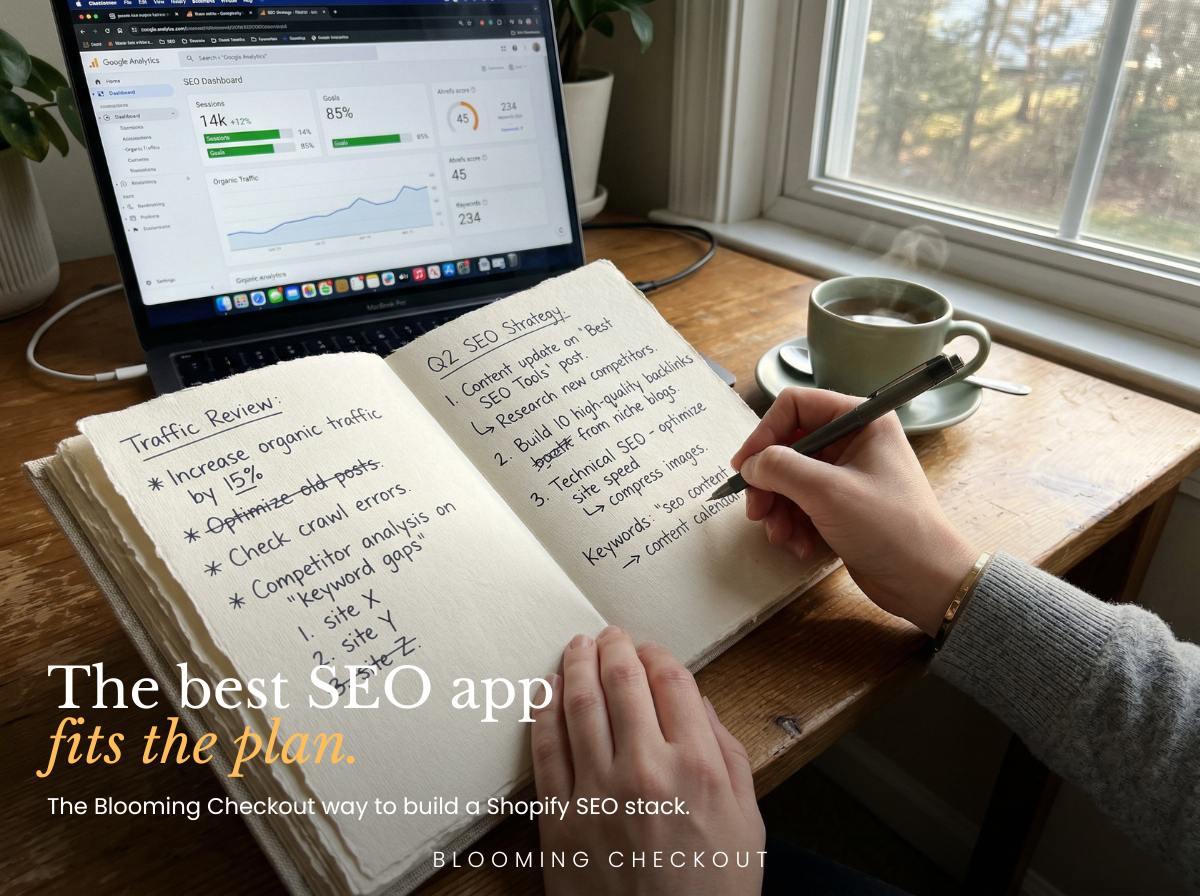
Here is a warning many app reviews omit: too many apps, especially speed-focused ones, can slow your shopify store or cause conflicts. Every app adds code to your theme. Poor configurations create worse problems than having no app at all.
What to do instead:
- Install one shopify app at a time and test page speed (using google pagespeed insights or GTmetrix) before and after
- Disable overlapping features so only one app generates your sitemap and only one inserts JSON-LD schema
- Keep image backups before aggressive compression, especially for premium brands where visual quality is a selling point
- Review automated changes on important pages (homepage, bestsellers, high-value categories) before going live
- Run periodic seo audit checks using free seo tools or your app's built-in diagnostics
- Remove apps you are not actively using, because dormant code still affects performance
Regular SEO audits are crucial; for new stores or those making frequent changes, comprehensive audits should be conducted monthly, with quick scans weekly. Automated SEO audits can be scheduled to run weekly or monthly, allowing store owners to catch issues before they impact search rankings. Automated SEO audits can help identify and fix technical issues before they negatively impact search rankings, ensuring ongoing seo improvements. We cover the audit schedule we run for every client store on our ecommerce SEO services page.
Remember that apps are tools, not strategy. You still need to research relevant keywords. You still need to write meaningful copy that speaks to real buyers. Apps handle seo tasks and repetitive work. Strategy and empathy remain your job. This is exactly where a Shopify SEO agency earns its keep.
How we use Shopify SEO apps
Let us share how this works in real life, not just theory. At Blooming Checkout, we manage and audit Shopify stores across the US, UK, Australia, Canada, and New Zealand. We also run our own stores. Our flower business has been trading since 1999 and moved onto Shopify in 2014, which gives us a long view on what actually works.
Across the portfolio we manage, we see:
- Premium product catalogues that depend on beautiful photography
- Seasonal campaigns built around specific weeks of the year
- Same-day and next-day delivery windows that demand fast site performance
- International customers searching from multiple markets and languages
Our clients expect the product to look exactly like the photograph. They expect the site to load quickly on mobile. And they expect to be found when buyers search. SEO apps help deliver on all three. SEO apps can automate repetitive tasks such as editing product descriptions, titles, and meta descriptions, saving hours of work for store owners. AI content generation features in SEO apps can create meta tags and descriptions automatically, saving hours of manual work for store owners. The integration of AI in Shopify SEO apps allows for automated generation of meta tags and descriptions, improving speed and accuracy in SEO strategies.
How we use seo apps to back the work we do:
Image optimization keeps product photography crisp yet fast-loading. A shopper browsing on mobile data should not wait 6 seconds for a gallery page to load. Compression and lazy loading solve this without sacrificing the visual quality that earns a client five-star reviews.
We use schema markup on products and collections so Google shows price, availability, and ratings directly in search results. This builds trust before the click. A shopper sees the price, the stock status, and the star rating before they even open the page. That reduces wasted clicks and lifts conversion from organic traffic.
Bulk metadata templates maintain consistency when a client launches a new collection. A spring capsule or a limited-edition range can launch with proper titles and descriptions without manual entry on 30 individual products. Some SEO apps provide instant sitemap submission, ensuring that new products are indexed by search engines quickly, which can cut findability time from weeks to days.
On top of the app work, we write the actual collection pages ourselves. That is the piece no app can do. You can see the structure we use on any collection page we write, through The SEO Growth Plan and Everything SEO, and across our Shopify SEO services and SEO growth packages. For local service businesses, our local SEO for small businesses and wellness SEO pages cover the same method applied to service areas. Shopify SEO apps can significantly grow your store's visibility, with some reports indicating traffic increases of up to 70% after installing effective SEO tools.
Strong seo visibility supports every client promise we make. When someone searches for a specific product or service, we want them to find the right page first. That is the job, and that is what the right app stack helps us deliver.
FAQs: best SEO app for Shopify in 2026
Is there one single "best" Shopify SEO app?
No single app fits every store perfectly. Most merchants do best with one main app covering broad seo features (like Booster or Avada) plus one specialist like TinyIMG for image optimization. The best shopify seo apps work together, not alone.
What is the best free SEO app for Shopify?
Avada SEO offers the most generous free plan available, covering bulk metadata editing, google search console integration, and basic seo features. TinyIMG's free tier handles modest image compression for stores adding fewer than 50 images monthly. For keyword research, Google Keyword Planner remains a powerful free tool outside the Shopify ecosystem. Free tiers have limits, and serious growth eventually requires paid plans.
Can I rely on apps instead of learning SEO?
Apps handle grunt work: technical seo audits, bulk edits, broken links detection, automated seo fixes. You still need a working understanding of search intent, relevant keywords, and what makes content worth reading. Apps execute, you strategise. Think of them like power tools: they make work faster, but you still need to know what you are building.
Will SEO apps slow down my Shopify theme?
High-quality apps built for Shopify are generally optimised well. Problems arise when you install multiple apps with overlapping functions, or when cheap apps inject sloppy code. Always test page speed before and after installing any shopify app. Use Google Pagespeed Insights or GTmetrix for objective measurements.
How long until I see results from installing an SEO app?
Technical fixes (like fixing broken links, adding redirects, improving site speed) may show positive effects within weeks. Content changes and schema markup typically take 2-3 months to reflect in search engine rankings, as Google recrawls and re-evaluates your pages. Patience and consistent improvement beat expecting overnight miracles.
Do I still need external tools like Google Search Console?
Yes. Apps work best when combined with Google Search Console (essential for monitoring how Google sees your site), Google Analytics (for understanding visitor behaviour), and possibly Ahrefs, Semrush, or screaming frog seo spider for deeper keyword research tools, backlink analysis, and technical seo audits. Your seo app handles daily execution, and external tools provide the broader strategic picture.
What about Answer Engine Optimization for AI search?
Answer engine optimization (sometimes called AEO) prepares your content for AI-driven search tools like Perplexity, ChatGPT, and Google's AI Overviews. Apps like StoreSEO and SEOAnt now include features for structured FAQs and llms.txt support. If AI search represents a growing portion of how customers find businesses like yours, consider adding an AEO-focused app to your stack. Early data suggests proper FAQ schema can increase AI citations by 2-3x.
Should I use a Google SERP Simulator before publishing?
A google serp simulator helps you preview how your title tags and meta descriptions will appear in search results before publishing. Many seo apps include this feature, or you can use free versions online. It catches issues like truncated titles or unclear descriptions before they go live.
Is there a role for Google Ads Account data in SEO?
If you run paid campaigns through a Google Ads account, the keyword data can inform your seo strategy. High-performing paid keywords often translate into strong organic targets. This is separate from seo apps themselves but represents good practice for stores investing in both channels.
Conclusion: focus on the right SEO app, not every SEO app
In 2026, the best seo app for Shopify is the one that cleanly covers your biggest gaps (images, schema, bulk metadata, speed) without bloating your store or creating conflicts. More apps do not mean better seo rankings. Strategic choices do.
For most merchants, pairing an all-in-one app (Booster SEO or Avada) with a strong seo image optimizer (TinyIMG) provides enough firepower to compete seriously. Add a specialist app only when specific needs arise: multi language seo support for international expansion, educational dashboards for learning, or AEO tools for AI search visibility. Many Shopify SEO apps automate routine tasks, allowing store owners to save time and focus on other aspects of their business, with some apps claiming to cut manual work by 99%. Automation features in SEO apps can save time by handling repetitive tasks such as optimizing new products, fixing broken links, and generating meta descriptions automatically. Shopify SEO apps can help improve page speed, which is a critical factor for both user experience and search engine rankings, as Google prioritizes fast-loading sites.
Strategy comes first. Understand search intent, pick your target keyword, write content that answers a real question, and let apps execute the repetitive seo tasks. That is the same sequence we follow on every Shopify store we manage at Blooming Checkout.
Next steps: Audit your current seo setup this week. Pick one recommended app combination and test it on one important collection. Measure page speed and organic traffic before installation and again 60-90 days later. Let the results guide your next move. If you want a second set of eyes on the work, meet the team, read why we built the agency, sign up for The Bloomsletter, or get in touch to ask us anything.


